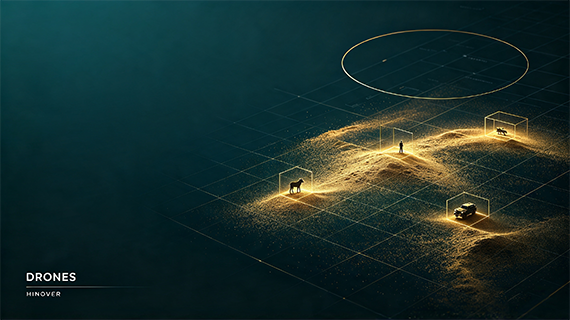
A drone survey over a protected area must answer more than one question. Where are the animals. Where are the people. Where are the vehicles. A conservation team needs all three to count wildlife, to detect poaching incursions, and to map human activity inside a reserve. DroneMegaDetector is a general purpose object detector built for aerial drone imagery and video, trained to find all three classes in a single pass. It scans high resolution aerial frames automatically, draws a box around every animal, person, and vehicle it finds, and writes the results in a standard format that existing conservation tools can read. It is released under the MIT license with full inference code and weights, and a preprint documents its development.
What the model detects, and why three classes
DroneMegaDetector is built on RF-DETR Medium, a compact detection transformer with roughly thirty five million parameters. That small size is deliberate. It makes the model fast enough to process large surveys on a single GPU, and light enough to run on a CPU when no GPU is available. The model is trained as a three class detector. Class zero is person, class one is animal, and class two is vehicle. All three are first class outputs, not an afterthought. A single model that finds animals, people, and vehicles together is what makes it useful for anti poaching, where a person or a vehicle inside a protected area is the signal of interest, as much as for wildlife census, where the animal is. The animal category is effectively a mammal category, because almost all training examples are mammals, so performance on birds, reptiles, or fish is undefined and should not be assumed. The project continues the lineage of MegaDetector, the widely used camera trap detector, and one of its contributors is the original author of MegaDetector. Output is written in the same JSON format as MegaDetector, which means results plug directly into existing conservation tools without conversion.
Where it works best, and where it does not
The training data comes predominantly from drone flights at fifty to one hundred and twenty metres above ground level, with some crewed aircraft imagery included. That range is the operating envelope represented in the data, not a strict requirement. As altitude increases, every target, whether animal, person, or vehicle, occupies fewer pixels, and detection performance declines when targets become substantially smaller than those seen during training. This is the single most important practical limitation. A model trained on targets seen from eighty metres will miss the same objects seen from two hundred metres, not because it has failed, but because the object no longer resembles anything in its training distribution. Confidence thresholds must be tuned to each survey's altitude and camera resolution, and the default demonstration threshold of zero point three is only a starting point. The three classes are not equally easy. Vehicles are usually the most detectable because they are large and regular, people are smaller, and animals vary widely in size, so a threshold that works for one class may be too loose or too strict for another.
How inference works, and why tiling matters
Drone images are large, often several thousand pixels across, while the model was trained at one thousand two hundred and eighty pixels. A single downsampled pass would shrink small targets below detectable size. The solution is tiled inference. The image is divided into one thousand two hundred and eighty by one thousand two hundred and eighty tiles, each tile is detected independently, and adjacent tiles overlap by one hundred pixels by default. Duplicate detections in the overlap regions are removed with non maximum suppression. Tiling is enabled with a single argument, and it is the recommended mode for any real survey image. The repository provides five inference scripts covering every practical workflow. inference-demo.py runs on one image and displays the result, for verifying installation. inference-batch.py walks a folder recursively, processes images and sampled video frames, and writes JSON results. inference-video.py samples video frames at a chosen rate. The two tracking scripts add ByteTrack to associate detections across frames, producing persistent track identifiers and an annotated video, one using the local checkpoint and one using the Hugging Face version. For anti poaching patrols, the tracking scripts are particularly valuable because a moving person or vehicle keeps the same identity across frames, which makes a path visible rather than a scatter of isolated detections.
Install and run locally, step by step
Each command below is on its own line so it can be selected and copied directly. Open a terminal and follow them in order.
git clone https://github.com/ConservationDronesAI/DroneMegaDetector.git
cd DroneMegaDetector
pip install -r requirements.txt
Download the model weights from the releases page, or use the direct release link for version one point one, then place the .pth file in the project folder. Test the installation on a single image.
python src/inference-demo.py --image path/to/image.jpg --weights DroneMegaDetector_RFDETRMedium_2026.10.04.pth --conf 0.5 --output output.jpg
For a real survey, run the batch script on a folder. The tiled flag is almost always appropriate for drone imagery. Results are written to a JSON file in MegaDetector format, with one entry per image or video and a class label for every detection.
python src/inference-batch.py DroneMegaDetector_RFDETRMedium_2026.10.04.pth path/to/survey_folder results.json --tiled
For users who prefer the Hugging Face ecosystem, a transformers compatible version is available. Install the tested dependencies and load it with the standard classes.
pip install torch==2.14.0 torchvision==0.29.0 transformers==5.18.0 Pillow==12.3.0
from transformers import pipeline; pipe = pipeline("object-detection", model="ConservationDrones/DroneMegaDetector")
For video, the tracking scripts add persistent identities across frames and produce an annotated MP4 alongside the JSON. The batch script accepts a time sampling argument for videos, one frame every N seconds by default, which keeps processing time proportional to survey duration rather than frame count.
Limits to keep in mind
Four caveats should shape any real use. First, the animal class is mammals only, and the model will not reliably detect birds, reptiles, or fish, though person and vehicle detection remain reliable. Second, detection quality falls with altitude for all three classes, so a survey flown higher than the training range requires validation on a manually scanned subset before results are trusted. Third, the sample outputs in the repository are illustrative only; the authors explicitly state they do not establish accuracy, because it is unknown whether those images appeared in training. Fourth, CPU inference works but is slow; a CUDA GPU is recommended for any folder larger than a few hundred images. The model is a detector, not a classifier. It tells you what kind of object is present and where. A separate species classification step, or manual review, is required to turn animal detections into population estimates, just as a separate analysis is required to turn person and vehicle detections into an anti poaching alert.
Further notes on applied AI and drone systems are published on the blog, and project enquiries can be sent through the contact page. The code and weights are at github.com/ConservationDronesAI/DroneMegaDetector, the Hugging Face model at huggingface.co/ConservationDrones/DroneMegaDetector, and the preprint at doi:10.64898/2026.10.12.758430.